Playable ads can deliver conversion rates up to 27 times higher than banner ads, yet many mobile gaming marketers watch their campaigns fail before they even launch. The culprit? Compliance oversights that trigger rejections, account suspensions, and wasted budgets. From missing API implementations to incorrect age targeting flags, non-compliant playable ads never reach their audience, no matter how compelling the creative. This guide walks you through essential compliance steps to transform playable ads from a risky investment into your most powerful user acquisition channel.
Table of Contents
- Understanding Playable Ad Compliance Requirements
- Preparation Steps Before Creating Playable Ads
- Execution: Building And Implementing Compliant Playable Ads
- Verification And Ongoing Compliance Management
- Unlock Your Playable Ads’ Potential With PlayableMaker
- FAQ
Key takeaways
| Point | Details |
|---|---|
| Conversion advantage | Playable ads deliver up to 27 times higher conversions than traditional banner formats |
| Age compliance mandatory | Platforms require accurate age targeting and child-directed content flags to avoid rejection |
| Technical implementation | Proper API integration and format adherence prevent costly ad network rejections |
| Testing validates compliance | Thorough pre-launch testing ensures smooth user experience and platform acceptance |
| Guidelines boost performance | Following network and platform rules directly improves campaign effectiveness and ROI |
Understanding playable ad compliance requirements
The playable ad compliance landscape extends far beyond simply creating an engaging interactive experience. Playable ad compliance involves adhering to network guidelines, platform policies, and regional regulations to ensure your ads gain acceptance and perform effectively. Each ad network operates with unique technical specifications and content rules that you must follow precisely. Unity Ads, ironSource, and Google AdMob each maintain distinct requirements for file formats, creative content, and API implementations.
Regional laws add another compliance layer that directly impacts your targeting capabilities. COPPA regulations in the United States restrict how you can collect data and serve personalised ads to children under 13. If your game targets younger audiences, you face limitations on ad personalisation that fundamentally alter your monetisation strategy. European GDPR requirements impose similar constraints on data collection and user consent, requiring careful configuration of your ad serving parameters.
Platform policies create a third compliance dimension you cannot ignore. Google Play’s Designed for Families programme imposes strict tagging requirements for apps targeting children. Failing to properly flag your app as child-directed when it qualifies for this programme can result in removal from the app store entirely. Apple’s App Store guidelines similarly mandate accurate age ratings and content descriptions that must align with your playable ad creative.
“Non-compliance doesn’t just risk rejection. It triggers account suspensions, legal penalties, and permanent damage to your user acquisition capabilities.”
The consequences of ignoring these compliance requirements extend beyond simple ad rejection. Ad networks may suspend your account, blocking access to critical user acquisition channels. Legal penalties for violating child protection laws can reach significant financial levels. Perhaps most damaging, compliance failures waste your creative team’s time and your marketing budget on ads that never serve.
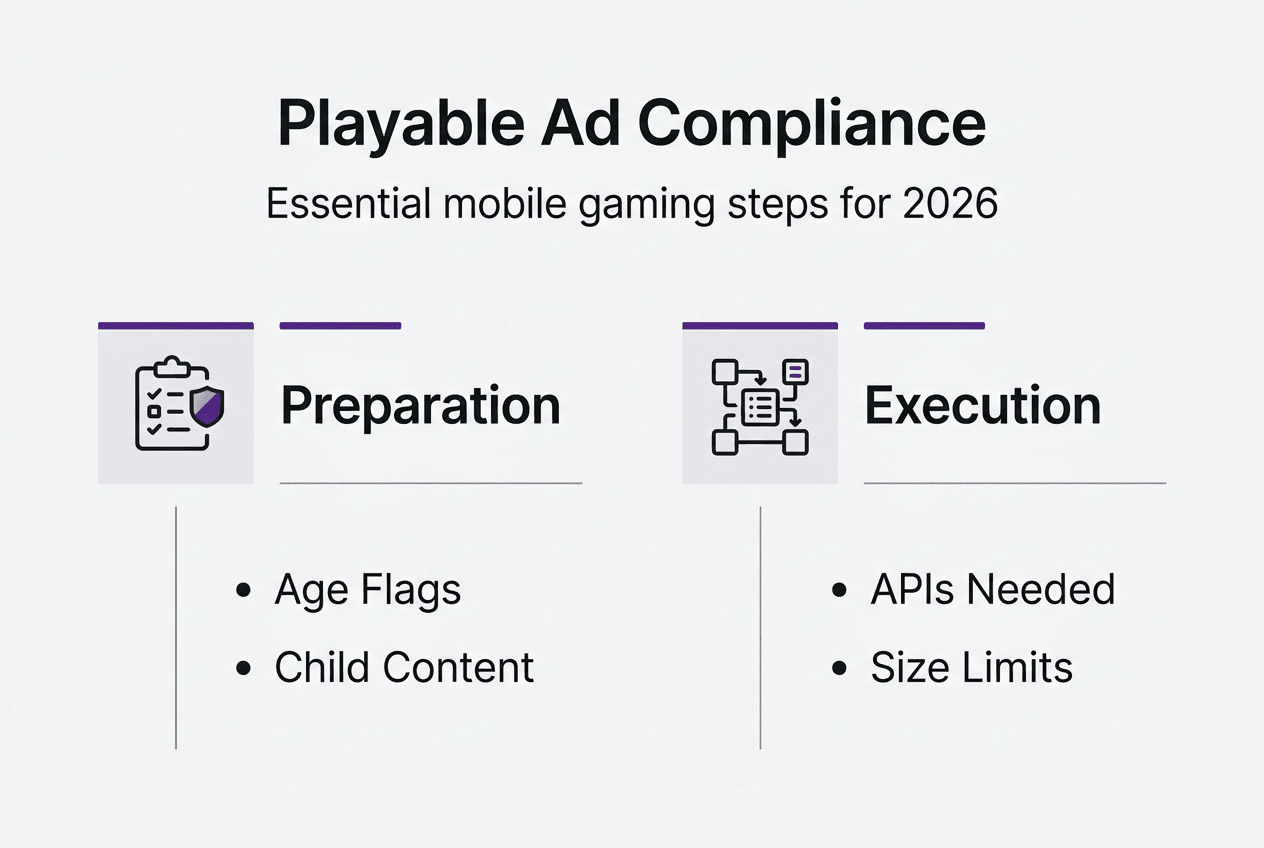
Successful compliance, conversely, improves your campaign metrics substantially. Compliant playable ads achieve higher click-through rates because they load reliably across devices. Conversion rates improve when ads function smoothly without technical errors. Following mobile game ad best practices positions your campaigns for measurable performance gains whilst protecting your account standing and legal position.
Preparation steps before creating playable ads
Before you write a single line of creative code or design your first interactive element, you must establish the compliance foundation that determines whether your playable ads will ever reach users. This preparation phase prevents costly rework and rejection cycles that drain budgets and delay campaigns.
1. Configure age targeting flags accurately
Navigate to your ad platform dashboards and set age designations correctly at both app and user levels. Unity Ads requires you to specify whether your app targets children, mixed audiences, or adults exclusively. These settings determine which ad formats you can serve and what data you can collect. Incorrect age flags trigger immediate compliance violations that result in ad rejection or account suspension.
2. Identify and flag child-directed content
If your game participates in Google Play’s Designed for Families programme, you must flag it as child-directed on ironSource and other ad platforms. This designation limits your ads to contextual targeting only, removing personalised ad options. Failing to apply this flag when required violates both platform policies and child protection regulations, exposing you to legal liability.
3. Review platform-specific requirements
Google Play, Apple App Store, and individual ad networks each maintain unique compliance standards. Download and review the technical specifications for every network where you plan to serve playable ads. Document file size limits, supported formats, required APIs, and creative content restrictions. This review prevents surprises during the submission process.

4. Understand format and technical limitations
Ad networks impose strict file size caps, typically ranging from 2MB to 5MB for playable ads. Some networks accept only HTML5 single files whilst others support zipped packages. MRAID compatibility requirements vary by network. Compile these specifications into a reference document your creative team can consult throughout development, ensuring your mobile playable ad workflow aligns with technical constraints from the start.
5. Build your compliance checklist
Create a comprehensive checklist covering every requirement identified in your research. Include age flag settings, API implementations, format specifications, creative content restrictions, and testing protocols. This checklist becomes your quality control tool, preventing oversights that cause rejections. Share it with everyone involved in playable ad creation, from designers to developers to campaign managers.
Pro Tip: Schedule quarterly reviews of platform policies and ad network guidelines. Compliance requirements evolve constantly, and staying current prevents unexpected rejections when rules change.
These preparation steps form the compliance backbone that supports successful playable ad campaigns. Skipping this groundwork to rush into creative development inevitably leads to rejection cycles that cost more time than proper preparation would have required. Invest effort upfront to establish effective playable ad techniques built on solid compliance foundations.
Execution: building and implementing compliant playable ads
With your compliance foundation established, you can now construct playable ads that meet every technical and policy requirement whilst delivering engaging user experiences. This execution phase transforms preparation into functional, compliant creative assets.
1. Integrate required APIs
The App Store Click API is critical for correctly redirecting users to app stores when they engage with your playable ad. Implement this API exactly as specified in your ad network’s documentation. The Game Ended API signals when users complete your playable experience, enabling proper conversion tracking. Missing or incorrectly implemented APIs represent the most common technical rejection reason across all major ad networks.
2. Adhere to format and size specifications
Ad format and size compliance are essential for compatibility across different networks and devices. Package your playable ad as a single HTML5 file or zipped bundle according to each network’s requirements. Compress assets aggressively to stay within file size limits without sacrificing visual quality. Test your packaged file opens correctly and all interactive elements function before submission.
3. Implement MRAID standards
MRAID (Mobile Rich Media Ad Interface Definitions) provides the standardised framework that enables your interactive creative to function across diverse ad serving environments. Integrate MRAID APIs for viewability tracking, orientation changes, and interactive features. Proper MRAID implementation ensures your playable ad adapts correctly to different screen sizes and device capabilities.
4. Follow the stepwise build process
Structure your development workflow to maintain compliance throughout creation:
- Design your interactive experience with file size constraints in mind
- Develop core gameplay mechanics using lightweight code and optimised assets
- Integrate required APIs at the framework level before adding creative elements
- Format and package your playable ad according to network specifications
- Document every compliance decision for future reference and troubleshooting
5. Package for submission
Create separate packages for each ad network, customised to their specific requirements. Label packages clearly with network name, version number, and creation date. Maintain a master file repository where you can quickly access source files for updates or modifications. This organisation streamlines the submission process and simplifies future campaign iterations.
Pro Tip: Build a reusable playable ad template that includes all required APIs and compliance elements. This template accelerates future campaign development whilst ensuring consistent compliance across all your playable ads.
The following table outlines key technical specifications across major ad networks:
| Network | File Size Limit | Format | Required APIs |
|---|---|---|---|
| Unity Ads | 5MB | HTML5 (zip) | App Store Click, Game Ended |
| ironSource | 3MB | HTML5 (single file) | App Store Click, MRAID |
| Google AdMob | 5MB | HTML5 (zip) | App Store Click, MRAID |
| Meta Audience Network | 2MB | HTML5 (single file) | App Store Click |
Testing represents the final execution step before campaign launch. Load your playable ad on the test environments provided by each ad network. Verify every interactive element responds correctly, APIs fire at appropriate moments, and the app store redirect functions smoothly. This pre-launch validation catches errors whilst you can still fix them easily, preventing the costly rejection and resubmission cycle that derails campaign timelines. Consider A/B testing different ad variations to optimise performance alongside compliance.
Verification and ongoing compliance management
Creating a compliant playable ad represents only half the compliance equation. Verification and ongoing management ensure your ads maintain compliance whilst delivering optimal performance throughout their lifecycle.
Testing playable ads on provided test sites validates compliance and functionality before you commit budget to live campaigns. Load your ad on every device type your audience uses, from budget Android phones to premium iOS devices. Check load times remain under three seconds even on slower connections. Verify interactive elements respond immediately to touch inputs without lag or errors.
Compare performance metrics between compliant and non-compliant ad variations to quantify compliance’s impact on your campaigns. Compliant ads typically achieve 15% to 30% higher click-through rates because they load reliably and function smoothly. Conversion rates improve similarly when users experience seamless interactions from first touch through app store redirect. These performance gains justify the effort invested in compliance.
Monitor your campaigns for common rejection triggers that indicate compliance failures:
- API implementation errors preventing proper app store redirects
- Format breaches such as exceeding file size limits or using unsupported file types
- Targeting mismatches between age flags and actual ad content
- Creative content violations including misleading gameplay representations
- Missing MRAID implementations causing compatibility issues
Maintain routine monitoring of platform policy updates and ad network guideline changes. Subscribe to developer newsletters from Unity, ironSource, Google AdMob, and other networks you use. Join industry forums where marketers discuss compliance challenges and solutions. When policies change, update your age flags, creative content, or technical implementations promptly to maintain compliance.
Use your ad platform dashboards to track compliance metrics alongside performance data. Monitor rejection rates, approval times, and any compliance warnings issued by ad networks. Set up alerts that notify you immediately when rejection rates spike, enabling quick investigation and resolution before problems compound.
The following comparison illustrates how compliance impacts campaign performance:
| Metric | Compliant Ads | Non-Compliant Ads |
|---|---|---|
| Approval Rate | 95% to 98% | 60% to 75% |
| Average CTR | 3.5% to 5.2% | 2.1% to 3.0% |
| Conversion Rate | 12% to 18% | 7% to 11% |
| Account Suspensions | Rare | Common |
Document every compliance issue you encounter and how you resolved it. This knowledge base becomes invaluable when training new team members or troubleshooting similar problems in future campaigns. Share compliance learnings across your marketing team to prevent repeated mistakes and establish best practices for playable ads that become standard operating procedures.
Schedule quarterly compliance audits where you review all active playable ads against current platform policies and network guidelines. Technology and regulations evolve constantly, and ads that were compliant six months ago may violate new requirements today. Proactive audits prevent unexpected rejections and maintain your user acquisition momentum.
Unlock your playable ads’ potential with PlayableMaker
Navigating the complex compliance landscape whilst creating engaging playable ads demands significant time and technical expertise. PlayableMaker eliminates these barriers with intuitive, no-code tools designed specifically for mobile gaming marketers who need compliant, high-performing playable ads without draining development resources or budgets. Our platform automatically implements required APIs, enforces format specifications, and guides you through compliance requirements for every major ad network.
Explore why playable ads are so effective by understanding the psychological principles that drive user engagement and conversion. Learn how playable ads are revolutionising digital engagement across mobile gaming and beyond. When you’re ready to create, our drag and drop creator empowers you to build professional, compliant playable ads in hours instead of weeks, with no coding skills required.
FAQ
What are playable ads and why is compliance important?
Playable ads are interactive ad units that let users experience core gameplay mechanics before downloading your game. Compliance ensures these ads meet legal requirements, ad network technical specifications, and platform policies, preventing rejection and maximising campaign performance. Non-compliant ads waste creative budgets and never reach your target audience.
How do age restrictions affect playable ad compliance?
Age restrictions require accurate setup of app-level and user-level age flags in your ad platform dashboards. Games targeting children under 13 face strict limitations, including prohibition of personalised advertising and mandatory contextual ad serving only. Incorrect age designation violates COPPA regulations and triggers immediate compliance failures.
What common mistakes cause playable ad rejections?
The most frequent rejection triggers include missing or incorrectly implemented APIs like the App Store Click API and Game Ended API. Non-adherence to file size limits, unsupported formats, and platform-specific guidelines also cause rejections. Failing to flag child-directed content accurately or setting incorrect age targeting represents another common compliance failure that blocks ad approval.
How can I test my playable ads for compliance?
Use network-provided test environments and preview apps to validate your playable ads before launching live campaigns. Check that all API responses fire correctly, load times remain under three seconds, and interactive elements function smoothly across different devices. Test on both iOS and Android platforms to ensure cross-platform compatibility and compliance.
Recommended
- Ad tech trends 2026: create playable ads fast and affordably – playablemaker.com Ad tech trends 2026: create playable ads fast and affordably
- Master Mobile Ad Trend Analysis 2025 for Playable Ads Success – playablemaker.com Master Mobile Ad Trend Analysis 2025 for Playable Ads Success
- Mobile Gaming Ad Formats: Boosting Global User Acquisition – playablemaker.com Mobile Gaming Ad Formats: Boosting Global User Acquisition
- Mobile Ad Glossary: 60% CPI Spend Drives Gaming Growth – playablemaker.com Mobile Ad Glossary: 60% CPI Spend Drives Gaming Growth