
TL;DR:
- No-code tools enable cost-effective, fast creation of playable ads without technical skills.
- Structured processes and asset limits improve ad quality, reduce costs, and prevent errors.
- Accurate measurement and testing ensure efficient scaling and better campaign performance.
Playable ads consistently outperform static formats, yet many mobile user acquisition specialists avoid them entirely, assuming they require a developer, a large budget, or both. This assumption is understandable but increasingly outdated. The tools available in 2026 make it genuinely possible to produce high-quality, interactive ads without writing a single line of code or spending beyond your means. This guide walks you through exactly what you need, how to build efficiently, what mistakes to avoid, and how to measure results without overspending. Every step is grounded in practical reality, not theoretical ideals.
Table of Contents
- What you need: Essential tools and skills for budget-friendly ad creation
- Step-by-step process: Build playable ads efficiently
- Common pitfalls and how to avoid them
- Verifying ad performance and scaling on a budget
- An expert’s take: What most guides overlook in budget ad creation
- Take your budget ad creation further with powerful tools
- Frequently asked questions
Key Takeaways
| Point | Details |
|---|---|
| No-code solutions save costs | Using drag-and-drop ad platforms enables marketers to build playable ads cheaply and efficiently. |
| Follow a stepwise process | Breaking down ad creation into clear steps streamlines production and reduces errors. |
| Avoid typical mistakes | Early and frequent testing prevents wasted spend and maximises playable ad performance. |
| Focus on measurable results | Tracking key performance metrics helps marketers optimise their ads within budget limitations. |
| Creative constraints unlock value | Embracing budget limits drives innovation and higher engagement in mobile ad campaigns. |
What you need: Essential tools and skills for budget-friendly ad creation
Before building anything, it is worth being clear about what the process actually requires. The good news is that the barrier to entry is far lower than most people assume.
Core tools to get started:
- A no-code playable ad builder (drag-and-drop interface, template library)
- A basic image editor (Canva or similar free tools work well)
- A spreadsheet tool for tracking performance metrics
- Access to a mobile ad network (Meta, Google UAC, IronSource)
- A simple analytics dashboard (free tiers are sufficient at the start)
The no-code ad creation landscape has matured considerably. Platforms that allow drag-and-drop ad building eliminate the need for coding entirely, making it possible for a single marketer to own the entire creative process.
Comparison: No-code platforms vs custom development
| Factor | No-code platform | Custom development |
|---|---|---|
| Production time | 1 to 3 days | 2 to 6 weeks |
| Cost per ad | Low (subscription) | High (dev hours) |
| Iteration speed | Fast | Slow |
| Coding required | None | Significant |
| Creative control | High | Very high |
| Scalability | Easy | Resource-intensive |
The difference in iteration speed is particularly significant. When you can rebuild and retest an ad in a day rather than a week, your overall campaign quality improves because you can respond to data quickly.
In terms of skills, you do not need to be a designer or an engineer. A working understanding of your game’s core loop, basic familiarity with what makes an ad visually clear, and a willingness to review analytics are sufficient. Understanding effective ad creative processes matters more than technical depth.
No-code platforms can reduce production costs by up to 60% compared to traditional custom builds. That figure is not marginal. For teams running multiple campaigns simultaneously, it compounds into a genuinely meaningful budget saving across the year.
Statistic: No-code drag-and-drop platforms can reduce playable ad production costs by up to 60%, making them the most cost-efficient entry point for most mobile marketing teams.
Step-by-step process: Build playable ads efficiently
Following a defined creative process streamlines the workflow and reduces costs. Without structure, small inefficiencies accumulate quickly and erode your budget before the ad even reaches a user.
The core production sequence:
- Ideation: Define the core mechanic you want to showcase. What is the single most engaging moment in your game? That is your ad’s centrepiece.
- Asset selection: Use pre-built asset libraries wherever possible. Most no-code platforms include libraries of animations, UI elements, and backgrounds. Selecting existing assets rather than creating from scratch is one of the highest-impact time-savers available.
- Logic scripting: Use the platform’s visual scripting tools to define interaction rules. This is typically a simple “if player taps, then this happens” structure. No coding knowledge is required.
- Testing: Run the ad internally before any spend goes behind it. Check load times, interaction responsiveness, and whether the end screen call-to-action is clearly visible.
- Publishing: Export in the formats required by your chosen ad networks and submit. Most platforms handle this automatically.
Pro Tip: Use pre-built asset libraries within your no-code platform to cut production time by approximately half. Resist the temptation to create custom assets for every element. Consistency and speed matter more than originality at this stage.

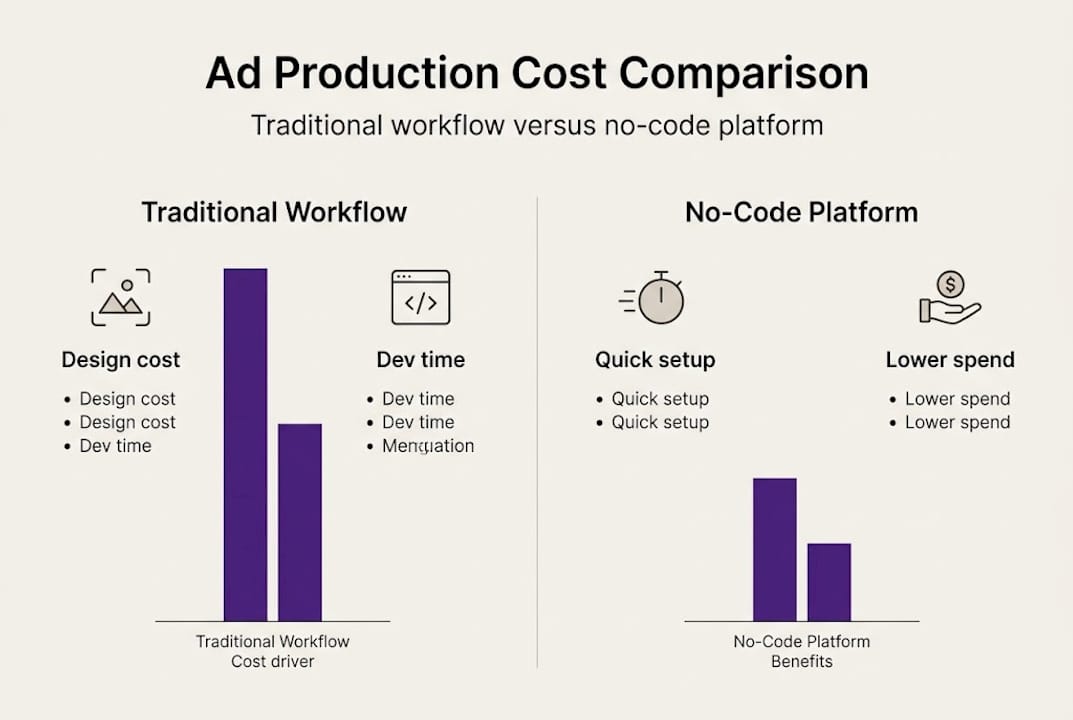
Cost comparison: Traditional workflow vs no-code process
| Stage | Traditional cost estimate | No-code cost estimate |
|---|---|---|
| Concept and design | £800 to £2,000 | £50 to £150 |
| Development | £1,500 to £5,000 | £0 (included) |
| Testing and QA | £300 to £800 | £0 (self-managed) |
| Revisions | £200 to £600 | Minimal |
| Total per ad | £2,800 to £8,400 | £50 to £300 |
Reviewing playable ad tutorials for your specific platform before starting can reduce the learning curve significantly. Most no-code tools have thorough video guides that cover the full production cycle in under an hour. Understanding what high-performing game ads typically include also helps you benchmark your own creative quality before launch.
Common pitfalls and how to avoid them
Even with the right tools and a clear process, certain mistakes appear repeatedly across teams. Recognising them early prevents both budget waste and creative frustration.
The most common pitfalls:
- Asset overload: Including too many visual elements makes the ad confusing and increases load time. Users disengage within seconds if the experience feels cluttered.
- Unclear objectives: Building an ad without defining a single, specific goal leads to creative compromises that serve no outcome well. Decide upfront whether the priority is installs, brand awareness, or re-engagement.
- Skipping the testing phase: This is the most financially damaging mistake. Many marketers overspend by not leveraging efficient creative strategies, and a large portion of that wasted spend traces back to ads that were never properly validated before going live.
- Neglecting the end screen: The call-to-action at the close of a playable ad is where conversion happens. A weak or poorly placed end screen undermines an otherwise strong creative.
- Over-engineering the interaction: Simplicity wins. A single, satisfying tap mechanic consistently outperforms a complex sequence that requires multiple steps to understand.
‘Testing early saves resources and prevents major errors.’
Pro Tip: Set a maximum asset budget in advance, ideally limiting yourself to five to seven visual elements per ad. This constraint forces creative discipline and almost always results in a cleaner, more effective experience.
The fix for most of these pitfalls is structural. Build a short pre-production checklist that confirms your objective, asset count, and testing plan before any creative work begins. Reviewing cost-effective ad creation principles before each campaign is a useful habit that keeps teams aligned and avoids costly rework.
Verifying ad performance and scaling on a budget
Once your playable ad is live, the work shifts from creation to interpretation. Measuring performance accurately is what separates teams that scale efficiently from those that drain budgets chasing unclear results.
Key metrics to track:
- Click-through rate (CTR): Indicates how compelling the ad experience is at a surface level.
- Cost-per-install (CPI): The clearest measure of acquisition efficiency.
- Session time within the ad: Longer engagement typically correlates with higher install intent.
- Install rate from completed interactions: Users who finish the playable experience and still choose to install are your highest-quality leads.
- Return on ad spend (ROAS): The ultimate measure of whether the campaign is financially justified.
Free and affordable analytics tools:
- Google Analytics (free tier)
- Adjust (starter plan)
- AppsFlyer (limited free tier)
- Facebook Ads Manager (free with ad spend)
- IronSource Mediation dashboard (free)
Simple A/B testing enables informed, budget-conscious scaling. The principle is straightforward: run two variants simultaneously, identify which performs better on CPI and CTR, pause the underperformer, and reinvest into the stronger creative.
Budget vs premium scaling strategies:
| Approach | Budget strategy | Premium strategy |
|---|---|---|
| Ad variants tested | 2 to 3 | 5 to 10 |
| Testing spend | £50 to £200 | £500 to £2,000 |
| Iteration frequency | Weekly | Daily |
| Analytics tools | Free tiers | Paid platforms |
| Scale timing | After clear CPI signal | Earlier, with more data |
Reviewing your ad distribution steps is essential before scaling. Even a well-performing creative can underperform if it is placed on the wrong network or targeted at the wrong audience segment. Distribution decisions compound creative quality, either multiplying its impact or diluting it.
An expert’s take: What most guides overlook in budget ad creation
Most budget ad creation guides focus almost entirely on cost reduction. Cut this, eliminate that, use free tools here. That framing is understandable but subtly limiting. The more useful reframe is this: constraints are a creative mechanism, not just a financial reality.
When you limit your asset count, simplify your interaction, and restrict your timeline, you force decisions that often produce stronger creative output than an open-ended brief with unlimited resources would. The interactive ads workflow that consistently delivers strong results is not the one with the largest toolkit. It is the one with the clearest thinking.
Experimentation also matters more than most guides acknowledge. The teams producing the highest-performing playable ads are not necessarily the ones with the biggest budgets. They are the ones testing the most frequently, learning the fastest, and iterating without ego. A £100 test that teaches you something concrete is worth more than a £2,000 production that launches without a hypothesis.
Creative empowerment, not cost-cutting, is the actual goal. Budget discipline makes that empowerment sustainable.
Take your budget ad creation further with powerful tools
If this guide has clarified the process, the logical next step is finding a tool that makes that process repeatable. Playable Builder is built specifically for mobile marketing specialists who need to move quickly without relying on developers or stretching their budgets. The drag-and-drop interface, pre-built asset libraries, and streamlined publishing workflow put the entire production cycle in your hands. If you are curious about the psychology behind why these formats work, the resource on why playable ads are effective offers valuable context. You can explore everything and begin building directly through the Playablemaker app.
Frequently asked questions
How can I create playable ads without coding experience?
Platforms like Playable Builder provide drag-and-drop solutions, removing the need for any coding skills entirely. The interface is designed for marketers, not developers.
What is the most common mistake in budget ad creation?
Skipping the testing phase is the most frequent and costly error, as testing early consistently saves resources and prevents avoidable errors from reaching live campaigns.
How do I measure a playable ad’s effectiveness affordably?
Affordable analytics tools and free-tier platforms allow you to track cost-per-install, click-through rates, and session time without significant spend.
Are no-code platforms really cheaper than custom development?
No-code platforms can reduce playable ad production costs by up to 60% compared to custom-built solutions, making them the more cost-efficient choice for most teams.
What is the minimum spend needed to scale playable ads?
A/B testing with iterative budget increases allows you to scale responsibly from as little as £50 to £200 in initial test spend before committing to broader distribution.
Recommended
- Game Ad Engagement Techniques for Playable Ad Success – playablemaker.com Game Ad Engagement Techniques for Playable Ad Success
- Step-by-Step Guide to High-Performing Game Ads Creation – playablemaker.com Step-by-Step Guide to High-Performing Game Ads Creation
- Mobile Game Ad Tutorials: Build Playable Ads Easily – playablemaker.com Mobile Game Ad Tutorials: Build Playable Ads Easily
- How to Make Engaging Game Ads for Mobile Success – playablemaker.com How to Make Engaging Game Ads for Mobile Success