
TL;DR:
- A creative workflow is a structured, repeatable system guiding projects from concept to delivery, ensuring timely completion. Separating the creative process of idea generation from operational workflows improves efficiency, accountability, and quality. Regularly reviewing and refining workflows allows teams to enhance their output and reduce logistical friction, enabling more innovative work.
A creative workflow is defined as a structured, repeatable sequence of stages that moves a project from initial concept through to final delivery. In practice, this means every brief, asset, and approval follows a predictable path rather than bouncing between inboxes and shared drives. For marketing and creative teams, understanding this system is the difference between campaigns that ship on time and projects that stall in revision loops. Tools like Wrike, Airtable, and Adobe Creative Cloud have built entire product lines around this concept, which signals how central it has become to professional creative operations.

What is a creative workflow and why does it matter?
A creative workflow is the operational backbone of any project that moves from idea to published asset. Wrike defines it as the system that replaces manual coordination with structured handoffs, increasing both speed and consistency. Without this structure, teams default to ad hoc communication, which produces version chaos, missed approvals, and repeated rework. The result is not just slower delivery. It is a measurable drain on creative energy that could be directed at the work itself.
The importance of a defined process becomes clearest when you consider what breaks down without one. A copywriter finishes a script, but no one knows whose job it is to brief the designer. A video editor exports a final cut, but the client is still commenting on a draft from three rounds ago. These are not talent failures. They are workflow failures. Well-structured workflows lead to faster turnaround, consistent quality, and improved collaboration across teams precisely because they eliminate this ambiguity.
For marketing professionals specifically, the stakes are higher than in most industries. Campaign windows are narrow, platform specifications change frequently, and multiple stakeholders must sign off before anything goes live. A defined creative project workflow gives every person on the team a shared map of where the work is, who owns it, and what comes next.
What are the key stages in a creative workflow?
The five core stages of a creative workflow are Planning, Creation, Review, Approval, and Delivery. Each stage has a distinct purpose, a defined owner, and a clear output that triggers the next stage. Understanding what happens at each point prevents the most common source of project delays: work moving forward before the previous stage is genuinely complete.
Planning (briefing) is where the project scope, audience, deliverables, and deadlines are established. A strong brief produced here saves hours of revision later. For a digital ad campaign, this stage produces the creative brief, asset specifications, and a timeline with named owners for each task.
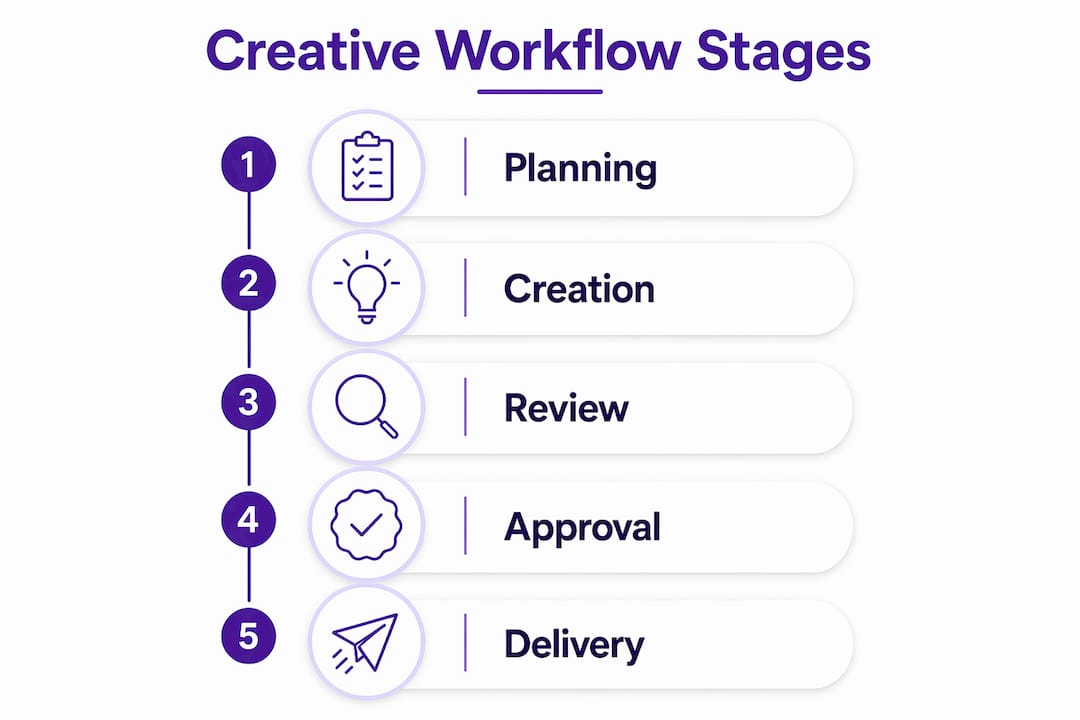
Creation (production) is the active work phase, where designers, writers, and developers produce the assets. This stage benefits most from clear file naming conventions and a single shared platform, such as Adobe Creative Cloud or Figma, to prevent duplication and version drift.
Review (feedback) is where stakeholders assess work against the brief. The most common failure point here is unstructured feedback arriving through multiple channels simultaneously. Centralising feedback tied to specific asset versions prevents teams from working on conflicting inputs or outdated files.
Approval (sign-off) is a formal gate, not an informal nod. Documenting approval criteria at the outset, including who has final authority and what constitutes a pass, removes ambiguity and speeds the handoff to delivery.
Delivery (distribution) is the final stage, where assets are exported, formatted for each platform, and published or handed to the client. For marketing teams running multi-channel campaigns, this stage often requires separate outputs for Meta, Google, and programmatic networks, each with different technical requirements.
- Planning produces the brief, timeline, and asset specifications.
- Creation produces the first draft assets in a shared, version-controlled environment.
- Review consolidates structured feedback tied to specific file versions.
- Approval confirms the asset meets the brief and authorises progression.
- Delivery formats and distributes assets to the correct channels and platforms.
Pro Tip: Document the acceptance criteria for each stage before the project begins. A review stage without defined pass criteria will always expand to fill the available time.
How does a creative workflow differ from the creative process?
The creative process and a creative workflow are not the same thing, and conflating them is one of the most common sources of team friction. Separating the two is vital for protecting both the quality of ideas and the efficiency of production.
The creative process refers to the psychological journey of generating and refining ideas. Researchers at the Interaction Design Foundation describe four psychological stages: Preparation, Incubation, Illumination, and Verification. These stages are non-linear, often unconscious, and cannot be scheduled into a project management tool. Incubation, for example, is the phase where the brain works on a problem without direct effort. Neuroscience research shows that increased alpha brainwave activity during this phase supports internally directed thought, which structured task lists actively interrupt.
A creative workflow, by contrast, is entirely operational. It organises the steps required to produce, review, and deliver work once the creative direction has been established. It is concerned with accountability, handoffs, and deadlines rather than with the generation of ideas.
| Dimension | Creative process | Creative workflow |
|---|---|---|
| Nature | Unstructured, iterative, psychological | Structured, repeatable, operational |
| Focus | Idea generation and problem solving | Production, review, and delivery |
| Stages | Preparation, Incubation, Illumination, Verification | Planning, Creation, Review, Approval, Delivery |
| Tools | Sketchbooks, mood boards, brainstorming sessions | Wrike, Airtable, Figma, Adobe Creative Cloud |
| Measurability | Difficult to quantify | Trackable via milestones and deadlines |
The practical implication is straightforward. Protecting ideation time from workflow logistics preserves the mental space that produces strong creative work. Teams that schedule unstructured thinking time separately from production tasks consistently report better creative outcomes and lower burnout rates.
What are the benefits and challenges of a structured creative workflow?
The benefits of implementing a structured creative workflow are concrete and well-documented. Wrike’s research shows that structured workflows remove friction like lost files and approval confusion, enabling teams to focus effort on high-impact creative work rather than administrative coordination. Faster turnaround, clearer accountability, and reduced rework are the most consistently reported gains.
The specific benefits for marketing and creative teams include:
- Reduced time spent chasing status updates and approvals.
- Fewer errors caused by working on outdated file versions.
- Clearer accountability when deadlines are missed.
- Faster onboarding for new team members who can follow a documented process.
- Improved consistency across campaigns produced by different team members.
The most persistent challenge is the misconception that structure stifles creativity. This belief leads many teams to resist formalising their processes, which leaves them vulnerable to the logistical breakdowns that actually damage creative output.
“Creative work fails more often due to logistical breakdowns in workflow than lack of ideas. Managing version control and platform specifications is as critical as the creative concept itself.” — Creative Operations Insights
The second major challenge is tool overload. Teams that adopt too many platforms simultaneously create a new coordination problem rather than solving the original one. The most effective approach treats the workflow as a coordination layer that integrates existing tools rather than replacing them entirely. A team already using Slack, Figma, and Google Drive does not need to abandon those tools. It needs a workflow that connects them.
Pro Tip: Audit your current tool stack before adding a new platform. Map which tools are used at each workflow stage and identify the gaps. Most teams need better integration, not more software.
How can creative teams optimise their workflows for better results?
Optimising a creative workflow requires addressing both the structural and human dimensions of how work moves through a team. The following steps reflect best practice for marketing and creative teams in 2026.
- Define roles and responsibilities explicitly. Every stage in the workflow should have a named owner and a clear handoff condition. Ambiguity about who approves what is the single most common cause of bottlenecks in creative project workflows.
- Centralise asset management and feedback. Use one platform for version-controlled files and structured feedback. Platforms like Figma for design and Frame.io for video review are purpose-built for this. Feedback scattered across email, Slack, and comment threads produces version chaos that delays projects and demoralises teams.
- Automate repetitive handoffs. Approval routing, status notifications, and deadline reminders can all be automated in tools like Airtable or Wrike. This frees creative professionals from administrative tasks and reduces the risk of steps being skipped. Automation also supports multi-channel campaign management by triggering the correct delivery format for each platform automatically.
- Document the workflow and review it regularly. A workflow that exists only in someone’s head is not a workflow. Write it down, share it with the team, and schedule a quarterly review to identify what is working and what is not.
- Protect incubation time. Schedule unstructured creative time separately from production tasks. This is not a luxury. It is the phase where the strongest ideas develop, and it requires deliberate protection from the operational demands of the workflow.
| Optimisation area | Recommended approach | Example tool |
|---|---|---|
| Role clarity | Document owners and handoff conditions per stage | Wrike, Notion |
| Asset management | Single platform with version control | Figma, Adobe Creative Cloud |
| Feedback consolidation | Feedback tied to specific asset versions | Frame.io, Figma |
| Approval routing | Automated notifications and gates | Airtable, Wrike |
| Creative ideation | Scheduled, protected unstructured time | Calendar blocking |
For teams producing ad creative assets at scale, the optimisation of delivery and formatting stages is particularly valuable. Automating the export of assets to platform-specific specifications alone can save several hours per campaign cycle.
Ondrej’s view: structure is what makes creative freedom possible
Ondrej’s view: structure is what makes creative freedom possible
The most counterintuitive thing I have observed in creative teams is that the ones with the most clearly defined workflows tend to produce the most original work. The conventional assumption is that process kills creativity. The reality is that process kills the wrong kind of mental effort, specifically the effort spent tracking files, chasing approvals, and resolving confusion about who is responsible for what.
When those logistics are handled by a system, creative professionals get their cognitive bandwidth back. That is when genuinely interesting work happens. I have seen teams transform their output quality not by hiring more talented people, but by removing the friction that was exhausting the talented people they already had.
The other thing worth saying plainly is that workflow optimisation is never finished. The teams I respect most treat their workflow as a living document. They run short retrospectives after each project, ask what slowed them down, and make one small adjustment. Over six months, those small adjustments compound into a materially better process. The teams that treat their workflow as a fixed system stop improving, and eventually the system becomes the problem it was meant to solve.
If you are starting from scratch, do not try to design the perfect workflow before you begin. Document what you actually do, run it for a month, and then refine it. Imperfect structure beats no structure every time.
— Ondrej
How Playablemaker supports your creative workflow
For marketing teams producing interactive and playable ad formats, the production and delivery stages of the creative workflow carry specific technical demands. Assets must meet platform specifications, load quickly, and be iterable without requiring developer time for every revision. Playablemaker’s no-code builder addresses exactly this constraint, allowing creative teams to build, test, and export playable ad formats without pulling engineering resources into the production loop. The result is a shorter cycle from brief to live asset, with fewer handoffs and less version confusion. If you are building an ad creative review workflow for your team, Playablemaker fits directly into the creation and delivery stages without disrupting the tools you already use.
FAQ
What is a creative workflow in simple terms?
A creative workflow is a structured sequence of stages that guides a project from initial brief through to final delivery. It defines who does what, in what order, and what must be completed before the next stage begins.
How many stages does a typical creative workflow have?
Most creative workflows follow five stages: Planning, Creation, Review, Approval, and Delivery. Each stage has a defined output and a named owner responsible for moving the work forward.
Does a structured workflow limit creative thinking?
No. Structured workflows remove friction such as lost files and unclear approvals, which frees mental energy for creative work. The creative process (ideation) and the creative workflow (production) are separate activities and should be managed separately.
What tools are commonly used for creative workflow management?
Wrike, Airtable, Figma, Adobe Creative Cloud, and Frame.io are widely used across marketing and creative teams. The most effective approach integrates existing tools into a coordination layer rather than replacing the entire toolchain.
How do you improve a creative workflow that is already in place?
Run a short retrospective after each project to identify where work slowed down. Make one targeted adjustment per cycle, focusing on the stage with the most friction. Documenting the workflow and reviewing it quarterly produces consistent, compounding improvement over time.
Key takeaways
A creative workflow is the structured operational system that enables creative teams to produce consistent, high-quality work at speed by separating logistical coordination from the creative thinking process.
| Point | Details |
|---|---|
| Five-stage structure | Every creative workflow follows Planning, Creation, Review, Approval, and Delivery in sequence. |
| Workflow versus process | The creative process covers ideation; the workflow covers production. Keeping them separate protects both. |
| Version control is critical | Centralising feedback tied to specific asset versions prevents the most common cause of project delays. |
| Structure enables creativity | Removing logistical friction through defined workflows frees cognitive bandwidth for original thinking. |
| Continuous refinement | Reviewing and adjusting the workflow after each project produces compounding improvement over time. |
Recommended
- Streamline ad campaign management for mobile games – playablemaker.com Streamline ad campaign management for mobile games
- Streamline your creative assets workflow for ads in 2026 – playablemaker.com Streamline your creative assets workflow for ads in 2026
- Ad creative review workflow for mobile game marketers – playablemaker.com Ad creative review workflow for mobile game marketers
- Mastering the Creative Approval Process for 2025 Success – playablemaker.com Mastering the Creative Approval Process for 2025 Success