
TL;DR:
- Interactive playable ads build user familiarity and reduce hesitation, leading to higher quality installs.
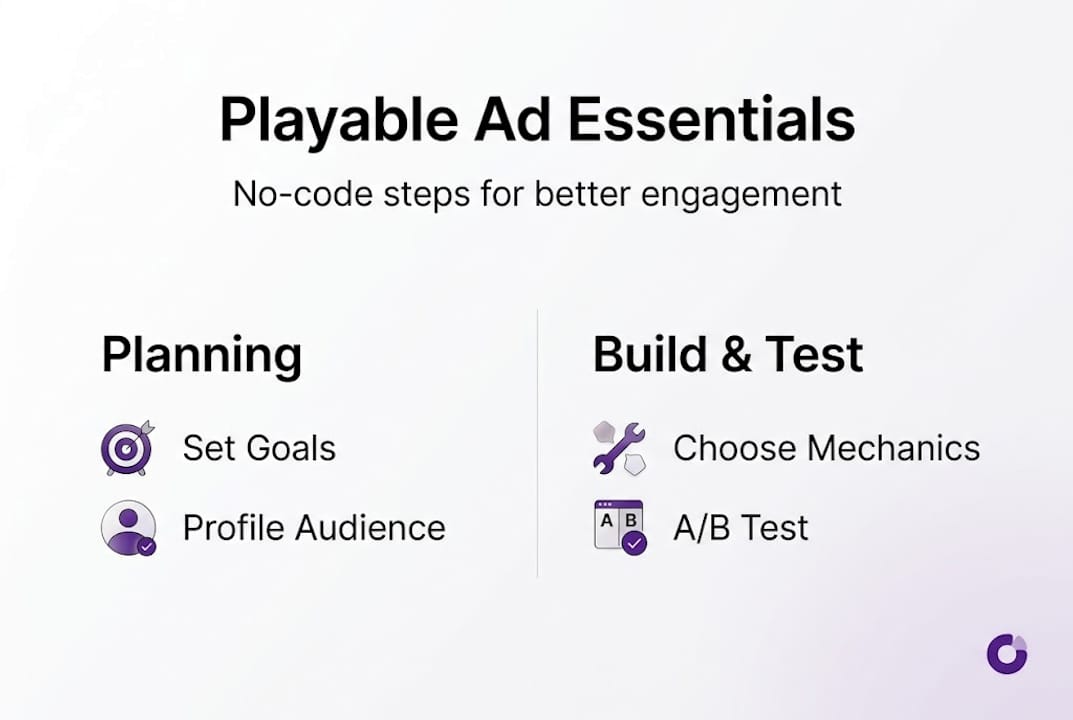
- Planning involves selecting simple mechanics, setting clear goals, and targeting the right audience for better performance.
- No-code tools enable fast creation and regular refreshes, crucial for maintaining engagement and campaign ROI.
User acquisition costs in mobile gaming have climbed sharply over the past few years, making it harder to justify traditional ad spend when static banners and skippable videos barely register with audiences. Interactive playable ads offer a measurable alternative, combining hands-on engagement with the kind of conversion potential that passive formats simply cannot match. This guide covers everything you need to know: what playables are, how to plan them strategically, how to build them without a developer, and how to optimise them for sustained performance. Whether you manage a lean team or a larger UA operation, the practical frameworks here are designed to be actionable from day one.
Table of Contents
- Understanding interactive playable ads and their effectiveness
- Planning your playable ad: Setting goals, audience, and mechanics
- Efficient ad creation workflow: Drag-and-drop tools and no-code strategies
- Testing, deploying, and optimising for results
- Our take: What most mobile ad guides get wrong
- Start building your best playable ads today
- Frequently asked questions
Key Takeaways
| Point | Details |
|---|---|
| Interactive playables drive performance | Interactive playable ads significantly boost engagement and conversions in mobile gaming campaigns. |
| No-code tools smooth ad production | Drag-and-drop platforms enable non-technical teams to quickly create and iterate on playable ads. |
| Refresh creatives regularly | Updating ad creatives every 50 days maximises engagement and minimises user fatigue. |
| Prioritise 3-5 step mechanics | Simple, genre-specific gameplay loops of 3-5 steps consistently outperform longer or more complex ads. |
Understanding interactive playable ads and their effectiveness
Interactive playable ads are mini-experiences embedded within an ad unit, allowing users to engage with a simplified version of a game’s core mechanic before deciding to install. Unlike static banners or pre-roll video, they require active participation. That distinction matters enormously in a market where passive formats are routinely ignored.
The fundamental difference lies in what the user does. A video ad asks someone to watch. A playable ad asks them to play. That shift from observer to participant changes the psychological relationship between the user and the product. It builds familiarity, reduces install hesitation, and filters for genuinely interested users, which improves downstream retention metrics.
Genre fit is an important consideration. Casual and puzzle games are particularly well-suited to the playable format because their core loops are simple enough to communicate in a short interaction. Match-3 mechanics, tile-swapping, or colour-sorting can all be demonstrated in seconds, giving the user a genuine taste of the experience. More complex genres can still use playables effectively, but the mechanic selection requires more care.
The performance data supports the format’s value. Playable ads with 3-5 step loops increase engagement and do not deter completions, which means users who start the interaction tend to finish it. That completion signal is a strong indicator of intent.
For a broader grounding in the format, playable ads explained covers the foundational principles in detail. The benefits of playable ads for mobile marketers are also worth reviewing if you want to build a business case internally.
| Feature | Playable ads | Video ads | Static banners |
|---|---|---|---|
| User engagement | High (interactive) | Medium (passive) | Low (passive) |
| Intent filtering | Strong | Moderate | Weak |
| Cost per install | Lower over time | Moderate | Higher relative to quality |
| Creative refresh requirement | Every ~50 days | Varies | Frequent |
| Suitability for casual games | Excellent | Good | Limited |
Key advantages of playable ads at a glance:
- Higher quality installs due to pre-qualified user intent
- Lower uninstall rates compared to video-driven campaigns
- Stronger brand recall through active participation
- Flexible deployment across major ad networks
Planning your playable ad: Setting goals, audience, and mechanics
A well-built playable ad that targets the wrong audience or communicates the wrong mechanic will underperform regardless of its production quality. Planning is where campaigns are won or lost, and it deserves as much attention as the creative itself.
Start by defining your campaign objective with precision. Are you optimising for volume installs, high-value user acquisition, or re-engagement of lapsed players? Each goal points toward different mechanic choices and interaction depths. A volume-focused campaign might prioritise a frictionless two-step loop, while a quality-focused campaign might use a richer five-step experience to filter for more committed users.
Audience profiling should go beyond basic demographics. Consider the motivational profile of your target player: are they drawn to progression systems, social competition, or relaxation mechanics? Device behaviour matters too. Users on mid-range Android devices need lighter assets and simpler animations than those on flagship iOS hardware. Aligning your mechanic complexity with your audience’s device profile prevents performance issues that kill engagement before the interaction even begins.
Mechanic selection is the creative core of the planning stage. Casual and puzzle games succeed with 3-5 interactive steps using genre-specific mechanics. Each step should deliver immediate feedback, whether that is a satisfying sound effect, a brief animation, or a visible score increment. This feedback loop is what makes the experience feel rewarding rather than mechanical.
For practical frameworks on structuring this process, mobile game ad best practices and creative ad concepts for mobile game user acquisition are both useful references.
| Planning element | Recommended approach | Typical impact |
|---|---|---|
| Interaction steps | 3-5 steps | High completion rate |
| Feedback type | Sound + animation | Stronger engagement |
| Asset weight | Under 2MB | Faster load, lower drop-off |
| CTA placement | Post-completion | Higher install intent |
A straightforward planning process for your next campaign:
- Define the single core mechanic you want to showcase
- Map out 3-5 interaction steps with clear feedback at each stage
- Identify your target audience’s device profile and motivational type
- Set your primary KPI before briefing any creative work
- Decide on your refresh schedule before launch, not after
Pro Tip: Build your mechanic around the feeling of your game, not just its visual style. A satisfying tap-and-match interaction communicates more about your game than a polished but passive animation ever could.
Efficient ad creation workflow: Drag-and-drop tools and no-code strategies
The production barrier for playable ads has dropped significantly. Modern no-code platforms allow UA managers and creative strategists to build, test, and publish interactive ads without writing a single line of code. This shift has practical consequences: faster iteration, lower costs, and less dependency on engineering resources.
Drag-and-drop builders work by providing a visual canvas where you place game assets, define interaction triggers, and set up response animations through interface controls rather than scripting. The best platforms include pre-built templates for common casual game mechanics, which further accelerates production. You select a template, swap in your assets, adjust the interaction parameters, and preview the result in real time.

The drag-and-drop playable builder from PlayableMaker is built specifically for this workflow, removing the technical overhead that typically makes playable production slow and expensive.
A structured creation workflow for non-technical teams:
- Select a template that matches your game’s core mechanic
- Import your visual assets (characters, backgrounds, UI elements)
- Configure interaction triggers and define the step sequence
- Add feedback elements: sounds, animations, score counters
- Preview on multiple device sizes and adjust for performance
- Run internal QA, then publish to your chosen ad networks
Common mistakes to avoid during production:
- Overloading the ad with too many steps, which increases drop-off
- Using uncompressed assets that slow load times on mid-range devices
- Skipping the multi-device preview before publishing
- Neglecting to set a clear call-to-action at the end of the interaction loop
- Treating the first version as final rather than a starting point for iteration
Creative refresh is a structural part of the workflow, not an afterthought. Updating playable creatives every 50 days maintains engagement, which means your production process should account for regular asset swaps and mechanic variations from the outset. The ad workflow guide covers this in more detail.
Pro Tip: Keep a modular asset library from your first build. When the 50-day refresh window approaches, you can swap backgrounds, characters, or colour schemes without rebuilding the interaction logic from scratch.
Testing, deploying, and optimising for results
Building a strong playable ad is only half the work. How you test, deploy, and iterate determines whether that creative delivers sustained ROI or fades into the background noise of ad fatigue.
Before any campaign goes live, run through a structured QA checklist:
- Verify the interaction works correctly on both iOS and Android
- Test on at least three screen sizes, including a mid-range device
- Confirm load time is under three seconds on a standard mobile connection
- Check that all feedback elements (sounds, animations) trigger correctly
- Ensure the call-to-action is visible and functional at the end of the loop
Deployment across multiple channels, including Meta, Google UAC, and programmatic networks, requires that your ad unit meets each platform’s technical specifications. Most no-code builders export in HTML5 format, which is broadly compatible, but always verify file size limits and interaction support for each network before submitting.
Once live, track these metrics closely:
- Engagement rate: the percentage of users who interact with the ad
- Completion rate: the percentage who finish the full interaction loop
- Cost per install (CPI): the efficiency of the campaign relative to installs
- Day-1 and Day-7 retention: whether installs from playables stay engaged
- Return on ad spend (ROAS): the revenue generated per pound spent
“Extended playables with up to five steps do not deter users and support periodic creative updates, making them a sustainable format for ongoing campaigns.”
A/B testing is the most reliable method for improving performance over time. Test one variable at a time: the number of interaction steps, the type of feedback, the CTA copy, or the visual theme. Changing multiple elements simultaneously makes it impossible to identify what drove any change in results.
For deeper guidance on iteration strategies, effective ad techniques for mobile gaming and repurposing ad creatives are both practical resources for extending the life of your best-performing assets.
Pro Tip: When CPI starts rising, do not immediately assume the mechanic is wrong. Check your creative age first. A well-structured playable that has simply run past its 50-day window will often recover strong performance with a visual refresh alone.
Our take: What most mobile ad guides get wrong
Most guides on playable ad design spend the majority of their focus on visual production quality: character art, animation polish, colour palettes. These things matter, but they are not what drives durable performance. The real lever is mechanic design and refresh timing, and both are routinely underestimated.
The “set and forget” approach is one of the most common and costly mistakes in UA management. A playable ad that performed well in week one will not perform the same way in week eight. Audiences habituate quickly. The dynamic creative processes that sustain performance are built around planned refresh cycles, not reactive ones.
Interactivity itself is also frequently misunderstood. Adding animation to a static ad is not the same as making it interactive. True interactivity means the user’s input changes what happens next. That cause-and-effect relationship is what creates the sense of agency that makes playables psychologically compelling. Without it, you have a more expensive video ad, not a playable.
For UA managers, the practical implication is clear: invest as much in your refresh schedule and mechanic logic as you do in your visual assets. The teams that consistently outperform on CPI are not necessarily the ones with the best art. They are the ones who treat creative iteration as a disciplined, ongoing process.
Start building your best playable ads today
The strategies in this guide are only valuable if you can act on them efficiently. That is exactly what PlayableMaker is built for. The Playable Builder tool gives UA managers and creative teams a no-code environment to design, preview, and publish interactive playable ads without developer involvement. You retain full control over mechanics, assets, and interaction logic, and you can iterate on a schedule that matches your campaign’s performance data. For a deeper understanding of what makes these formats work, explore why playable ads are so effective and learn more about engaging playables to sharpen your creative strategy further.
Frequently asked questions
What makes playable ads more effective than video or banner ads?
Interactivity and rewarding feedback make playables stand out in mobile gaming ads by letting users engage directly with game mechanics, producing stronger intent signals and higher-quality installs than passive formats can generate.
How often should I refresh my playable ad creatives?
Playable ads should be updated approximately every 50 days to maintain engagement levels and prevent audience fatigue from reducing campaign performance.
Do I need coding skills to launch interactive playable ads?
No. Modern drag-and-drop builders allow you to create, test, and deploy playable ads without any code, as no-code tools enable efficient production by non-technical teams.
What is the best structure for a puzzle or casual playable ad?
Casual and puzzle games perform best with a 3-5 step interactive loop that uses genre-appropriate mechanics and delivers instant feedback such as sound effects or brief animations at each stage.
Recommended
- Playable Ad Trends 2025: Build Engaging Ads Without Coding – playablemaker.com Playable Ad Trends 2025: Build Engaging Ads Without Coding
- Master Effective Playable Ad Techniques for Mobile Gaming – playablemaker.com Master Effective Playable Ad Techniques for Mobile Gaming
- How to Make Engaging Game Ads for Mobile Success – playablemaker.com How to Make Engaging Game Ads for Mobile Success
- Interactive ad content ideas for mobile gaming in 2026 – playablemaker.com Interactive ad content ideas for mobile gaming in 2026